


LocalCan — Develop your apps with .local domains and persistent Public URLs
The problem with most system-monitoring apps you see today is that they tend to throw way too much information at you. You’re presented with a bunch of numbers, charts, and technical terms upfront, which can feel overwhelming when all you want to know is why your computer suddenly feels slow.
Enter Pulse. A calm, free system-monitoring app I recently stumbled upon that lets you see what your computer is doing in one beautifully organised window, which is something I really appreciate.
For starters, Pulse gives you a clear overview of your CPU, memory, GPU, disk, network, and battery usage. You can quickly see what’s taking up resources without having to dig through multiple system panels or decipher cryptic statistics.
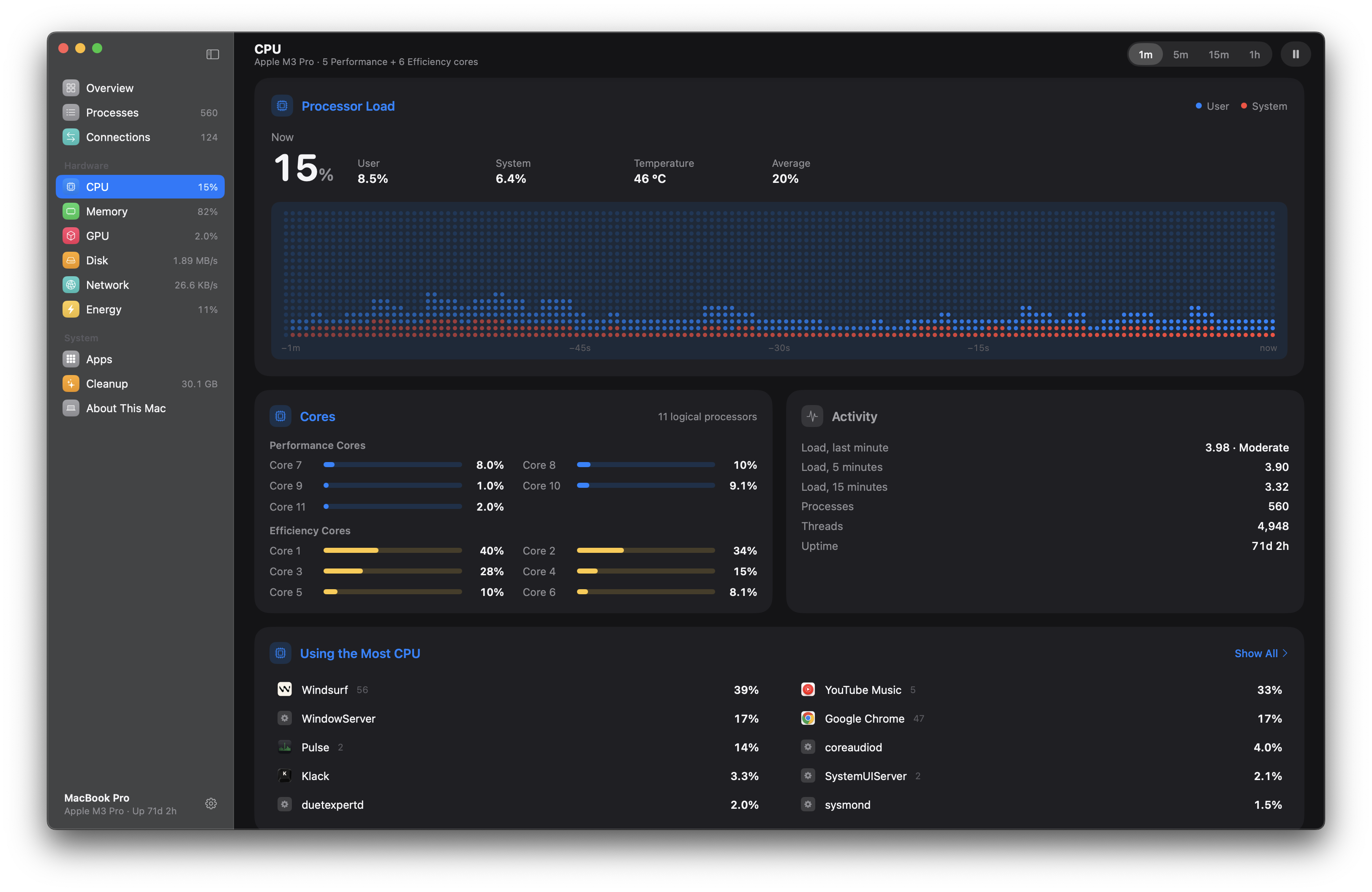
Here’s what the overview of CPU looks like.
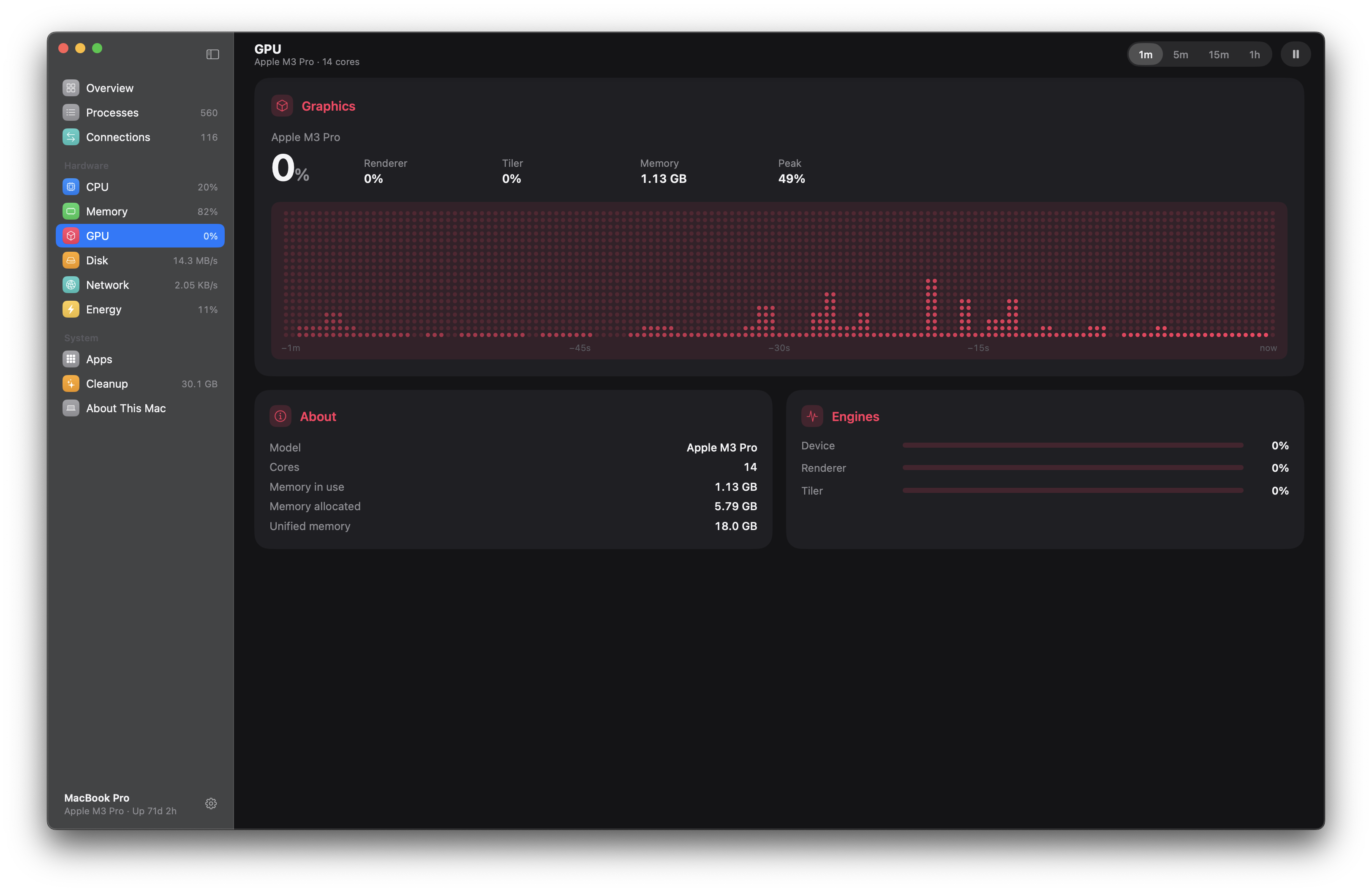
And GPU…
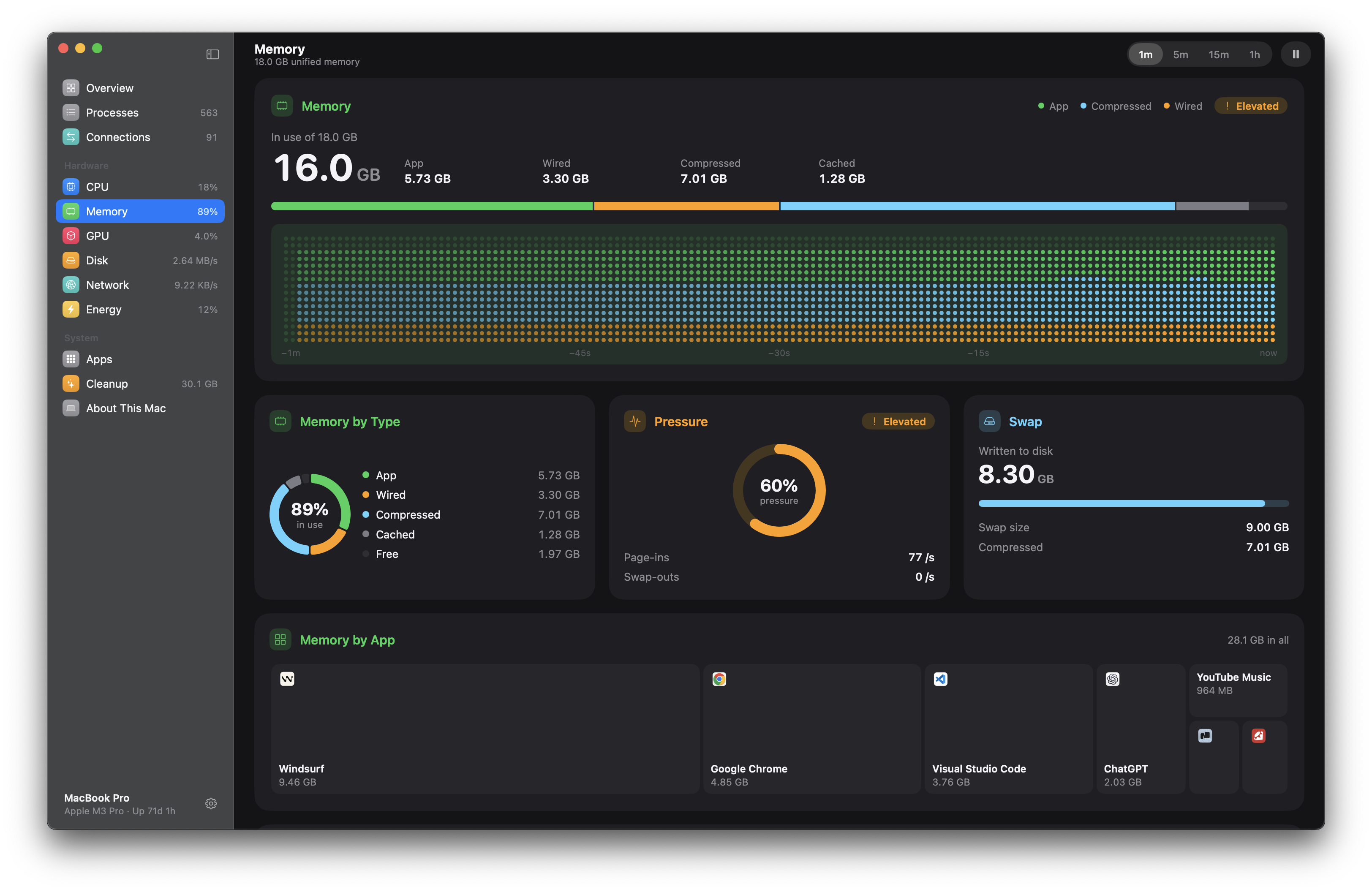
And the memory situation on your Mac…
You can also inspect every running process, search and group them by app, and even quit or force quit them when needed. Clicking on a process shows you its history, parent, and child processes, which is especially handy when you’re trying to figure out what’s going on behind the scenes.
The CPU view goes down to each individual core, separating Performance and Efficiency cores, while the memory view shows you what’s being used by apps, wired memory, compressed memory, and cache. You can even see which apps are putting the most pressure on your system.
Pulse also keeps an eye on your GPU, disks, network connections, battery health, temperatures, and energy usage. The network view is particularly neat since it shows which apps are moving data and exactly who they’re talking to.
There’s even a menu bar companion that lets you keep an eye on CPU, memory, network, or temperature usage at a glance. Clicking on one of them opens a small panel with its recent activity and the apps using the most of it.
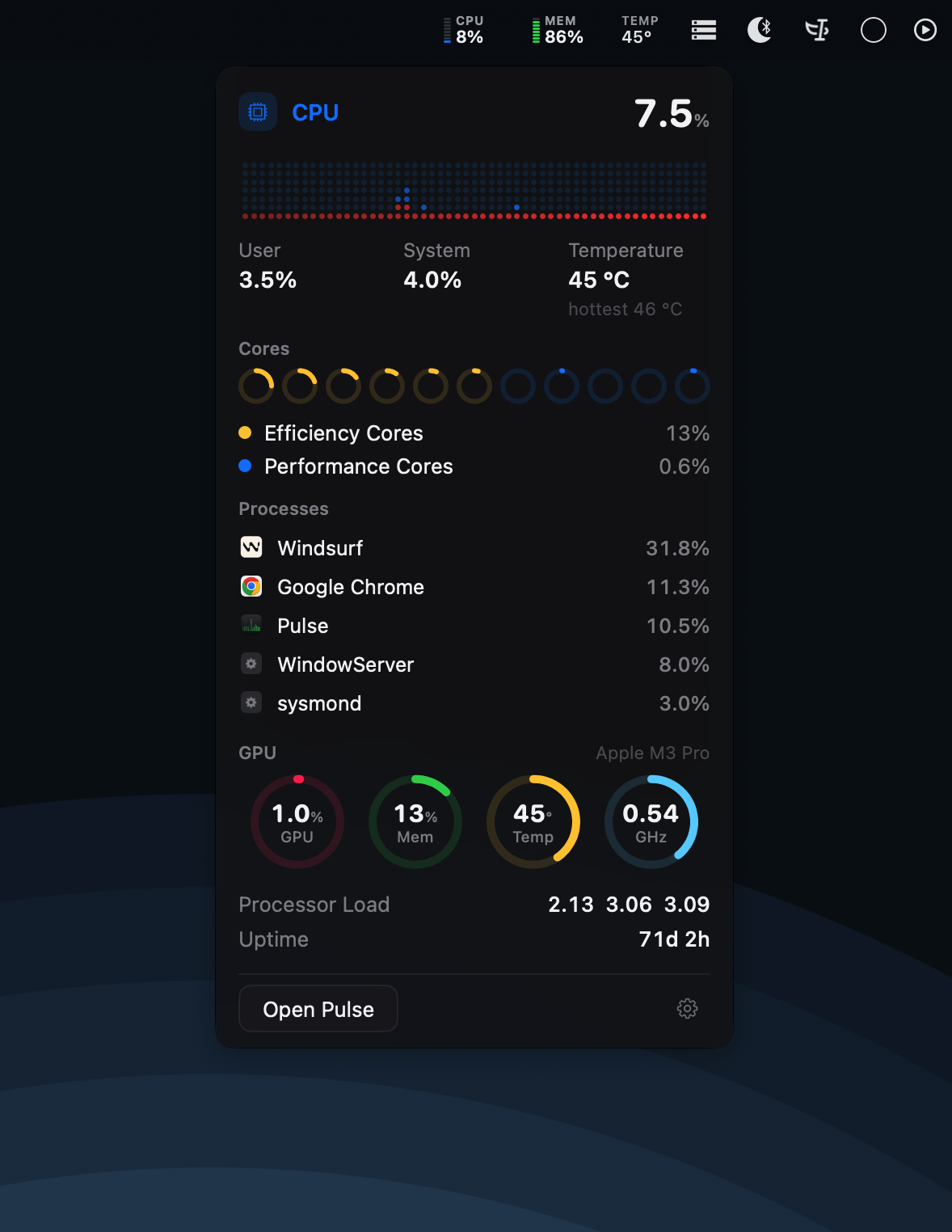
On the face, Pulse might look like a fairly serious system utility, but it manages to make all that information feel surprisingly approachable. It’s a native app, available for Apple silicon Macs, Windows, and Linux, and it stays lightweight while running.
All in all, Pulse is a lovely little utility for anyone who wants to understand what their computer is doing without getting lost in a sea of system statistics.
→ Try Pulse